



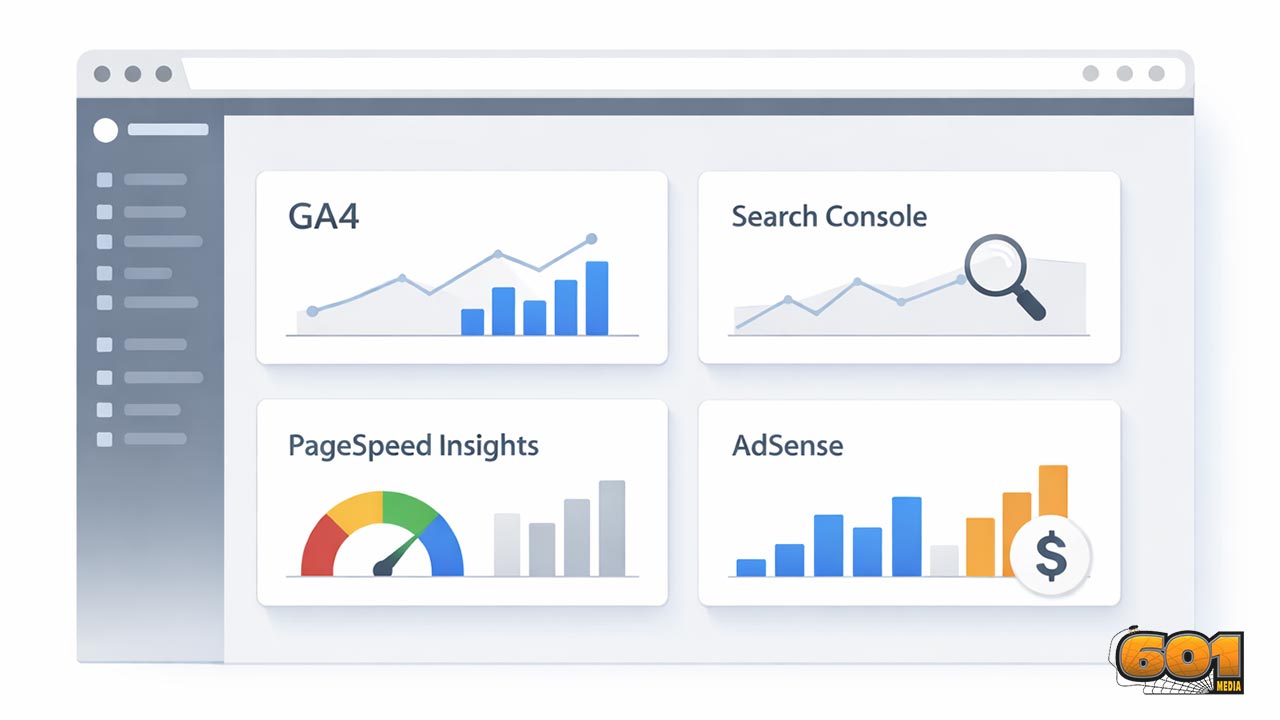
Google Site Kit Analytics WordPress Plugin: A Comprehensive Guide
Google Site Kit is Google’s official WordPress plugin designed to connect key Google services—especially Google Analytics (GA4)—directly to your WordPress dashboard. This guide explains what Site Kit does (and what it doesn’t), how to set it up cleanly for accurate GA4 tracking, how consent mode and privacy responsibilities work, and how to use Site Kit’s insights for faster, better product and content decisions.
Table of Contents
- What Google Site Kit is (and what it is not)
- What Site Kit connects: services and data you can see
- Installation and prerequisites
- Step-by-step: configure Site Kit for GA4 on WordPress
- Consent, privacy, and compliance considerations
- How to use Site Kit insights for better decisions
- Limitations and when not to rely on Site Kit alone
- Troubleshooting and common pitfalls
- Top 5 Frequently Asked Questions
- Final Thoughts
- Resources
What Google Site Kit is (and what it is not)
Site Kit is Google’s official WordPress plugin that helps you connect Google services and view headline metrics inside WordPress—without manually editing theme files, pasting tags into headers, or juggling multiple dashboards for basic status checks. On the WordPress plugin directory, Google positions Site Kit as a “one-stop solution” to deploy, manage, and get insights from key Google tools directly in the WordPress dashboard.
What it is:
- A connector: it helps authenticate WordPress to Google services and configure integrations.
- A dashboard layer: it surfaces selected metrics and “at-a-glance” insights for non-analyst users.
- A site health aide: it can reduce setup errors (wrong property, missing verification, missing permissions) by guiding users through a structured flow.
What it is not:
- Not a replacement for GA4: you still need the GA4 interface for deep analysis, explorations, funnels, pathing, attribution, and detailed event debugging.
- Not a full tag management system: if you need complex tagging, multi-vendor pixels, or conditional firing rules, you’ll still reach for Google Tag Manager or a dedicated implementation method.
- Not a compliance solution: Site Kit can participate in consent-aware measurement (via consent mode), but it does not magically make your site compliant with GDPR/CCPA or provide a cookie banner by itself.
Why Site Kit exists: the “single pane of glass” goal
In innovation and technology management terms, Site Kit is a classic adoption accelerant: it lowers “activation energy” for measurement by removing friction across authentication, verification, and basic reporting. The plugin’s value is less about offering new data and more about making existing data operationally accessible inside the workflow tool your team already uses every day—WordPress.
That matters because measurement programs fail more often from process breakdown than from lack of tools:
- Setup is “someone else’s job,” so no one owns it end-to-end.
- Access is fragmented, so stakeholders can’t self-serve.
- Dashboards live in yet another system, so they’re ignored until something breaks.
Site Kit’s premise is to reduce those failure modes by making foundational measurement visible where publishing happens.
Site Kit vs the GA4 interface: what changes, what stays
GA4 is the source of truth for Analytics data. Site Kit is a curated window into that truth. Practically:
- Site Kit helps you connect a GA4 property and a web data stream so measurement can start without manual code edits.
- Site Kit surfaces summary metrics (traffic, top pages, acquisition snapshots) that help with quick checks and weekly reporting.
- When you need to answer “why,” you move into GA4 (or BigQuery export, or your BI layer) because Site Kit’s UI is intentionally simplified.
A useful mental model: Site Kit is a cockpit. GA4 is the flight data recorder.
What Site Kit connects: services and data you can see
Site Kit can connect multiple Google services and show their metrics in WordPress. Google’s own messaging emphasizes a unified dashboard that brings together critical Google tools.
The exact mix of modules you use should be driven by your measurement strategy, not by “everything that’s available.” A lean, high-signal setup typically starts with:
- Search Console (required during setup)
- Analytics (GA4)
- PageSpeed Insights (performance feedback loop)
Then add monetization modules like AdSense if relevant.
Google Analytics (GA4): behavioral measurement
GA4 answers questions like:
- Which channels bring engaged users?
- Which pages drive conversions (newsletter signups, purchases, leads)?
- What content retains readers and what content bleeds them?
Within WordPress, Site Kit provides a simplified view of GA metrics to support editorial and operational decisions. Your analysts, growth teams, and product managers will still use GA4 directly for:
- Event configuration and debugging
- Audience building and comparisons
- Explorations (funnel, path, segment overlap)
Search Console: query and page performance
Search Console is the backbone of organic search visibility. Site Kit’s setup flow requires Search Console as a foundational service. Google’s documentation explicitly states Search Console is required and that Site Kit can connect to an existing property or create one during initial setup.
This matters because Search Console is not “nice to have” if you care about SEO-driven growth. It tells you:
- Which queries you show up for
- Which pages earn impressions and clicks
- How CTR and average position trend over time
From an innovation management lens, Search Console data is demand intelligence: it reveals what the market is asking for (queries) and where your content is under- or over-performing.
PageSpeed Insights: performance diagnostics
Performance is both a user experience issue and a business issue. If pages load slowly, you pay a “conversion tax.” Site Kit can surface PageSpeed Insights in WordPress so teams don’t need to jump tools to see performance signals.
Use this module as a feedback loop, not a vanity scoreboard:
- Identify the pages that matter (top landing pages, top conversion paths).
- Fix bottlenecks (heavy images, render-blocking assets, bloated plugins).
- Re-test and monitor after changes.
AdSense: monetization signals
If your site is ad-supported, AdSense visibility inside WordPress can reduce reporting friction for editorial and ad ops. The key is to avoid optimizing to “revenue today” at the expense of long-run trust and retention. Use AdSense metrics to validate hypotheses:
- Do certain content formats raise RPM without harming engagement?
- Do ad density changes increase bounce rates or reduce session depth?
Installation and prerequisites
Site Kit is widely adopted (millions of active installations) and is updated frequently. The WordPress.org plugin listing shows large-scale usage and current versioning/compatibility details (for example, active installations and “tested up to” WordPress versions).
Google account, permissions, and governance
Before you install anything, decide who “owns” measurement:
- Use a shared organizational Google account (or a controlled group-based access model) rather than a personal Gmail that disappears when someone leaves.
- Define who can change Analytics properties, data streams, and key configuration.
- Document the property ID, data stream, and primary conversion events so changes are auditable.
This is boring governance work, but it prevents the most expensive analytics failure: “We have data, but we don’t trust it.”
WordPress and PHP compatibility basics
Always confirm your WordPress and PHP versions meet the plugin’s requirements shown on the plugin directory listing. This reduces edge-case errors during updates and improves stability.
On modern WordPress stacks, the more common compatibility issues aren’t “can it run,” but “can it run alongside everything else you installed,” which leads to the next section.
Step-by-step: configure Site Kit for GA4 on WordPress
Google’s Site Kit documentation describes the setup path as going to the Site Kit dashboard in WordPress and following the initial setup steps, with an option to connect Google Analytics during setup or later via “Connect more services.”
Below is a clean, reliable setup flow that prioritizes accurate GA4 measurement and avoids duplicate tagging.
Connect Search Console (required)
1) Install and activate “Site Kit by Google” from the WordPress plugin repository.
2) In WordPress, open Site Kit and start setup.
3) Sign in with the Google account that should own the measurement setup.
4) Approve permissions.
5) Connect Search Console (Site Kit requires it and will prompt you to connect an existing property or create one).
Why this step matters operationally:
- It anchors site verification and ownership.
- It ensures SEO performance data is available early—often the fastest growth lever for content sites.
Connect Analytics (GA4 property + web data stream)
During initial setup, Site Kit offers an option to connect Google Analytics as part of the flow, and you can also connect it later from Site Kit settings.
A high-signal approach:
- If you already have GA4 running (via another plugin or hard-coded tag), pause and audit first to avoid duplicates.
- If you are starting fresh, let Site Kit connect Analytics and select (or create) the GA4 property and web data stream.
Google also publishes a help article specifically about using the Site Kit plugin to set up your Google tag for Google Analytics or Google Ads.
Implementation hygiene rules:
- One site, one primary measurement path: avoid firing two GA4 tags unless you intentionally run parallel properties.
- Document your Measurement ID and verify the correct domain is associated with the data stream.
- If you use WooCommerce or another ecommerce stack, plan your event strategy (purchase, add_to_cart, begin_checkout) early; Site Kit alone is not an ecommerce implementation toolkit.
Verify tracking and avoid false confidence
Many teams “install a plugin” and assume measurement is correct. That’s how you end up making product decisions based on broken data.
A practical verification checklist:
- In GA4 Realtime, confirm your own visit appears within minutes.
- Check that the hostname matches your domain and that traffic isn’t attributed to unexpected referrers.
- If you have a cookie banner/consent solution, test both states: consent granted and consent denied. Your data should behave differently when consent is refused.
- Check for duplicate page_view events (a classic symptom of multiple tags firing).
If you need an external sanity check for GA4 installation methods and why implementations fail, modern GA4 setup guidance often compares native tags, Google Tag Manager, and plugin-based approaches.
Consent, privacy, and compliance considerations
Analytics is no longer “just add a script.” Regulatory expectations and platform policies have made consent-aware measurement a baseline requirement for many organizations.
GDPR and privacy responsibilities: what Google states
Google’s Site Kit documentation is explicit: site owners are responsible for managing notice and consent requirements, including GDPR requirements, as described in Google’s Terms of Service.
Translation for WordPress site owners:
- Installing Site Kit does not complete your compliance work.
- You must implement consent collection (if required in your jurisdiction) and maintain policies, disclosures, and controls.
Consent mode: what it does and how it fits Site Kit
Site Kit includes documentation about consent mode and frames it as a mechanism that receives consent choices from a cookie banner or similar approach and adapts the behavior of Analytics and Ads tags that create or read cookies.
Google’s broader consent mode guidance explains that consent mode is for teams who maintain their own consent solution or integrate with a CMP (Consent Management Platform).
Key operational implications:
- Consent mode needs a consent signal source (banner/CMP/custom implementation).
- Without that signal source, you may end up either tracking when you shouldn’t—or not tracking when you could.
- Measurement quality will differ depending on consent rates, consent configuration, and how you handle cookieless modeling policies.
A practical privacy playbook for WordPress teams
If you want a pragmatic baseline that aligns measurement with responsible governance, use this playbook:
- Map data flows: what you collect, where it goes, and why you need it.
- Choose your consent approach: CMP plugin, custom banner, or privacy suite that integrates with WordPress and Google tags.
- Define measurement tiers: essential (site operations), functional (preferences), analytics, and marketing.
- Validate consent behavior: test GA4 Realtime with consent granted vs denied and verify tag behavior changes.
- Write operational documentation: who owns analytics configuration, who approves changes, and how incidents are handled.
The important part: treat consent as part of the system design, not a legal checkbox.
How to use Site Kit insights for better decisions
Site Kit is most valuable when it shortens the distance between “we shipped something” and “we know if it worked.” Used well, it supports an experimentation culture.
Innovation and technology management lens: actionable metrics
Innovation management is about reducing uncertainty with fast feedback loops. Site Kit helps by putting feedback where publishing happens.
Use Site Kit’s metrics to operationalize three core loops:
- Discovery loop (Search Console): What does the market want? Where do we have demand but weak CTR?
- Engagement loop (GA4): Which content formats and topics earn deeper engagement and repeat visits?
- Performance loop (PageSpeed): Where does speed/UX friction undermine outcomes?
Then translate insights into hypotheses:
- If query impressions are high and CTR is low, test title/meta improvements and snippet alignment.
- If traffic is high but engagement is low, test content structure, internal links, and above-the-fold clarity.
- If key landing pages are slow, prioritize performance work over new content volume.
Dashboards for stakeholders: reducing reporting friction
Stakeholders often want answers to three questions:
- Is traffic up or down?
- What content is working?
- What should we do next?
Site Kit’s dashboard-style summaries can support weekly reporting without forcing every stakeholder into GA4. That reduces coordination cost—an underrated advantage in small teams where “reporting time” steals time from building.
Governance tip:
- Define what Site Kit is used for (status and headlines) and what GA4 is used for (analysis and decisions).
- This prevents arguments where someone tries to answer a deep attribution question using a simplified dashboard widget.
Content and product workflows: from insight to experiment
A high-performing workflow looks like this:
- Weekly scan: Site Kit dashboard highlights wins/losses and unusual changes.
- Diagnosis: Use GA4 and Search Console directly to explain what changed and why.
- Experiment: Ship one focused change (content refresh, internal linking, performance fix, UX improvement).
- Measure: Validate in GA4 and monitor in Site Kit for quick visibility.
- Institutionalize: Document the play that worked so it becomes repeatable.
In practice, Site Kit is the “notification layer” that keeps the team attentive to outcomes.
Limitations and when not to rely on Site Kit alone
The biggest risk with Site Kit is misunderstanding its purpose. It is intentionally simplified, which is excellent for adoption—but limiting for advanced measurement.
Advanced GA4 needs: events, ecommerce, and funnels
If your growth model depends on:
- Custom event schemas
- Enhanced ecommerce tracking and revenue attribution
- Multi-step funnels and experiment analysis
- Offline conversions or CRM integration
then Site Kit will not be “enough.” You will still use GA4 configuration, possibly Google Tag Manager, and potentially server-side tagging or a CDP depending on your scale and constraints.
Site Kit can still be part of the stack—but it shouldn’t be the only tool in the stack.
Multi-team sites: governance and access control
On multi-author and agency-managed WordPress sites:
- Role separation matters: who can connect services vs who can only view metrics?
- Access continuity matters: avoid integrations tied to a single contractor’s account.
- Change management matters: plugin updates, WordPress core updates, and theme changes can affect measurement unexpectedly.
If governance is weak, analytics becomes “political data”—people argue about whose numbers are right instead of using data to improve outcomes.
Troubleshooting and common pitfalls
Most Site Kit pain points come from one of three causes:
- Permissions and ownership issues
- Duplicate tagging and conflicts
- Consent and privacy controls blocking measurement
“No data in GA4” after setup
If you installed Site Kit and GA4 looks empty:
- Confirm you connected the intended GA4 property and web data stream.
- Check GA4 Realtime while browsing your site in a clean session.
- Check for caching/optimization plugins that delay or block scripts.
- If you have a cookie banner, confirm analytics storage is allowed when users accept. Consent configuration can prevent data from appearing.
This aligns with the broader reality that modern analytics often requires consent-aware configuration, not just “tag installed.”
Conflicting tags and duplicate measurement
Duplicate tracking is a quiet analytics killer. It inflates pageviews, distorts engagement, and makes conversion rates meaningless.
Common causes:
- Another analytics plugin still active
- GA4 hard-coded in the theme header plus Site Kit injecting a tag
- GTM container firing GA4 while Site Kit also fires GA4
Resolution approach:
- Pick one primary tagging mechanism.
- Remove redundant tags.
- Re-verify in GA4 using Realtime and event counts.
Auto-updates and change management
WordPress plugin updates can be a governance issue in production environments. Site Kit is frequently updated, and WordPress admins sometimes notice behavior changes around updates and update settings.
Operationally:
- Keep Site Kit updated for stability and compatibility, but treat updates like any other production change.
- If your organization requires tight change control, use staging environments to test updates before deploying widely.
- Document your analytics baseline so you can detect regressions quickly.
Top 5 Frequently Asked Questions
Final Thoughts
The most important takeaway: Google Site Kit is best understood as a measurement operations tool, not an analytics strategy. When teams struggle with analytics, it’s rarely because GA4 can’t answer their questions—it’s because the organization can’t reliably implement, govern, and operationalize measurement. Site Kit addresses that real-world gap by making the essentials visible inside WordPress and simplifying the activation path for critical Google services. If you approach Site Kit like a “set it and forget it” plugin, you’ll get surface-level dashboards and occasional confusion—especially around consent, duplicate tags, or ownership.
If you approach it like an innovation tool that accelerates feedback loops, it becomes much more powerful:
- Search Console becomes a market-sensing system for what people want.
- GA4 becomes your behavioral truth source for what people do.
- Performance signals become a continuous improvement loop for experience and conversion.
Use Site Kit to shorten the distance between shipping and learning. Then back it up with governance, a clear event strategy, and consent-aware implementation. That combination—fast feedback plus trust in the data—is what turns analytics from “reporting” into a durable competitive capability.
Resources
-
- WordPress.org plugin listing: Site Kit by Google
- Site Kit documentation: Installing and setting up Site Kit
- Site Kit documentation: Connecting Google services (Search Console required)
- Google Analytics Help: Site Kit plugin (WordPress) set up your Google tag
- Site Kit documentation: GDPR compliance and privacy responsibilities
- Site Kit documentation: Consent mode overview within Site Kit
- Google developer documentation: Consent mode setup guidance


Leave A Comment