



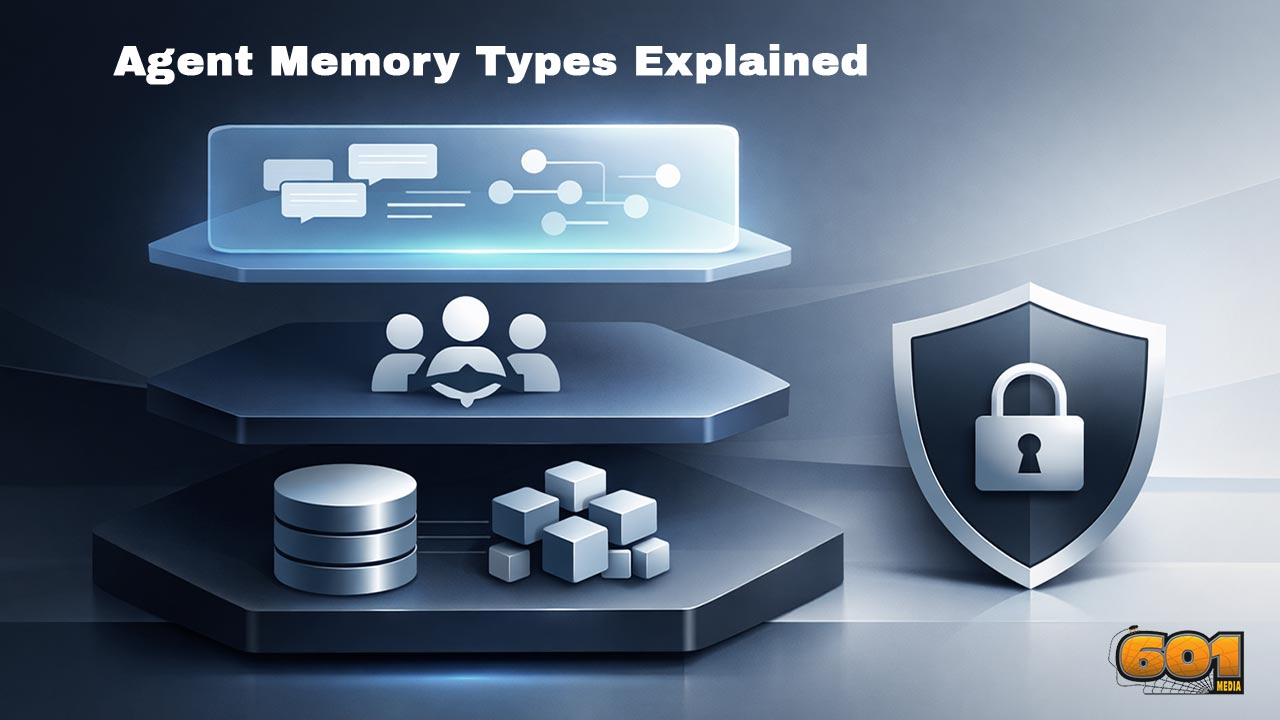
Agent Memory Types Explained: Short-Term, Long-Term, Shared, and “Do-Not-Store”
AI agents don’t “remember” like humans. They reconstruct what matters, when it matters, from a mix of context windows, stored knowledge, and policy constraints. This guide breaks agent memory into four practical layers: short-term (session context), long-term (retrievable persistence), shared (team/system knowledge), and do-not-store (explicit non-retention zones). You’ll also learn design patterns, governance rules, and the most common failure modes that make agent memory feel unreliable—or unsafe.
Table of Contents
- What “Agent Memory” Really Means (and What It Doesn’t)
- Short-Term Memory (Working Context)
- Long-Term Memory (Persistent, Retrievable Knowledge)
- Shared Memory (Team, Product, and System Knowledge)
- “Do-Not-Store” Memory (Privacy-First Non-Retention)
- Reference Architecture: A Practical Memory Stack
- Top 5 Frequently Asked Questions
- Final Thoughts
- Resources
What “Agent Memory” Really Means (and What It Doesn’t)
- Agent memory is any mechanism that helps an agent carry useful information forward across turns, tasks, or sessions, so it can behave consistently and efficiently.
- In practice, memory is a system design, not a single feature: it includes storage, retrieval, access control, policies, and evaluation.
- The most important mental model: the model doesn’t “keep” memories internally in a stable way. Instead, your application decides what to re-inject into the model’s context at the right moment.
Memory vs. context vs. state
- Context is what the model can “see” right now (the messages and data you include in the prompt). It’s short-lived and bounded.
- State is your application’s runtime truth: current task plan, tool outputs, intermediate variables, and execution traces.
- Memory is the curated subset of past information that remains available for future work.
Why memory is a product feature, not just a database
- If your agent remembers the wrong things, it becomes creepy, unreliable, or unsafe.
- If your agent forgets the right things, it becomes frustrating and expensive (users repeat themselves; tokens and tool calls balloon).
- Therefore, memory needs governance: what is stored, for how long, who can access it, and how it can be deleted or corrected.
Short-Term Memory (Working Context)
- Short-term memory is the agent’s working set: the active conversation and task context that it uses to decide what to do next.
- Many frameworks describe short-term memory as thread-scoped or session-scoped memory that updates as the agent runs. LangGraph, for example, frames short-term memory as message history and agent state persisted so a thread can resume later.
What it stores
- Recent user messages and clarifications
- Current goal and constraints (deadline, budget, format requirements)
- Recent tool results (last web lookup, last database query, last calculation)
- Local scratchpad artifacts (plan, checklist, partial drafts)
Common implementations
- Full transcript buffer: keep everything in the current session and send it forward each turn. Great for debugging; brittle at scale due to token growth.
- Windowed buffer: keep only the most recent N turns to control costs while preserving recency.
- Summarized context: compress earlier turns into a running summary, keeping fresh turns verbatim.
- Stateful graph execution: persist state transitions and rehydrate them when resuming a thread (common in graph-based agent runtimes).
Failure modes (and why users notice immediately)
- Context overflow: the agent silently drops older messages when the prompt gets too large, causing “selective amnesia.”
- Summary drift: repeated summarization can slowly change facts or intent, especially if you summarize without strict constraints.
- Tool-result loss: the agent “forgets” an earlier API response and re-calls the tool, increasing latency and cost.
- Recency bias: the agent overweights the latest turn and ignores stable requirements mentioned earlier (format rules, compliance constraints, “don’t email the customer”).
Management insight: short-term memory is for continuity, not knowledge
- Short-term memory should carry active context, not become a dumping ground for “everything we might need someday.”
- When you feel pressure to keep adding more context, that’s a signal you need long-term retrieval and better recall triggers.
Long-Term Memory (Persistent, Retrievable Knowledge)
- Long-term memory is anything that survives beyond the current session and can be retrieved later to influence behavior.
- Modern agents usually implement long-term memory as a retrieval system (often a RAG pattern): store information externally, then retrieve relevant pieces and inject them into context right before reasoning or acting.
- Microsoft’s AutoGen documentation explicitly frames memory as a store of useful facts that can be intelligently added to context for a step, commonly through a RAG workflow.
Three useful subtypes: semantic, episodic, procedural
- Semantic memory: stable facts and concepts (product specs, definitions, customer account attributes, policy rules).
- Episodic memory: “what happened” records (past decisions, prior conversations, outcomes, incident timelines).
- Procedural memory: “how to do it” patterns (workflows, playbooks, tool invocation sequences, troubleshooting steps).
RAG as “memory recall”
- Think of RAG as an attention mechanism you control: the agent queries a memory store, pulls back the most relevant items, then reasons using those items.
- This is powerful because you can:
- Control scope (per-user vs. per-team vs. global)
- Enforce permissions at retrieval time
- Refresh or delete items without “retraining” anything
- Show provenance (where did this memory come from?)
Indexing, TTLs, and freshness
- Long-term memory must manage time. Some memories should live for years (a user’s accessibility needs). Others should expire quickly (a one-time verification code).
- AWS guidance on agent memory highlights that memory systems should distinguish meaningful insights from routine chatter, implying strong selection and retention discipline.
- Practical approach:
- TTL by category: preferences (months), contact details (until changed), task outcomes (weeks), ephemeral hints (hours)
- Confidence scoring: store only if the agent has high confidence the fact is stable and user-intended
- Freshness checks: re-validate facts with source-of-truth systems (CRM, ticketing, ERP) when stakes are high
Typical long-term memory stores
- Vector database: semantic recall via embeddings for notes, docs, and conversation snippets.
- Relational database: structured truths (entities, permissions, audit logs, canonical profiles).
- Knowledge base or wiki: governed documentation with versioning.
- Event log: append-only timeline for actions and outcomes (great for audits and debugging).
Failure modes (long-term memory edition)
- False persistence: the agent stores an assumption as fact (“User is vegetarian”) because it sounded plausible in context.
- Stale recall: the agent retrieves outdated data (old pricing, prior policy) and acts on it.
- Semantic mismatch: embeddings retrieve “similar” content that is not actually relevant, leading to confident nonsense.
- Runaway accumulation: memory grows without pruning; retrieval returns noise; quality drops over time.
Shared Memory (Team, Product, and System Knowledge)
- Shared memory is memory that is not owned by one user alone. It can be shared across:
- Multiple agents in a multi-agent system
- Multiple users in a team or organization (with permissioning)
- Multiple workflows within one product
- Shared memory often becomes the agent’s “operating manual”: how your organization wants work done, what policies matter, and what the current best practices are.
When shared memory is the right move
- Standard operating procedures: support triage steps, incident response runbooks, QA checklists.
- Product truth: official feature behavior, pricing rules, compatibility matrices, release notes.
- Team continuity: handoffs between shifts, recurring customer context, status updates that everyone needs.
Access control and provenance are not optional
- Shared memory demands stronger governance than personal memory:
- Role-based access control (RBAC): retrieval must respect user and team permissions.
- Provenance: every memory item should track source, timestamp, and owner.
- Versioning: policies and procedures change; agents must know what is current.
- Audit trails: you must be able to explain why the agent said or did something.
A simple shared-memory taxonomy that scales
- Global: safe, public, product-wide knowledge (documentation you’d publish externally).
- Org: internal rules and playbooks (restricted to employees).
- Team: project-specific decisions, roadmaps, or customer lists.
- Case: a shared memory space scoped to one ticket/account/engagement.
Avoiding cross-user leakage
- The single biggest risk in shared memory is accidental data mixing: one user sees another user’s private data because retrieval boundaries were too loose.
- Mitigations:
- Hard scoping (namespace per tenant/team)
- Permission-aware retrieval filters
- Separate indexes for public vs. private corpora
- Red-team tests that try to exfiltrate data through prompts and tool calls
“Do-Not-Store” Memory (Privacy-First Non-Retention)
- “Do-not-store” isn’t a memory type in the usual sense. It is a policy boundary: information the agent may use transiently to complete a task, but must not persist in any long-term system.
- In other words: the agent can “see it,” can “use it,” but your system must treat it as non-retainable.
What belongs in do-not-store
- Secrets and credentials: passwords, API keys, one-time codes, private keys.
- Highly sensitive personal data: government IDs, medical details, precise location, financial account numbers.
- Regulated data: anything that triggers strict retention, consent, or breach requirements under your compliance regime.
- Ephemeral identifiers: reset tokens, magic links, short-lived session IDs.
Redaction, minimization, and retention controls
- Do-not-store works only if you enforce it end-to-end:
- Input minimization: don’t ask for sensitive data unless necessary.
- Client-side masking: redact before data ever reaches logs, analytics, or third-party services.
- Server-side redaction: apply pattern and classifier-based scrubbing on inbound messages and tool outputs.
- Storage gates: prevent persistence layers from accepting items labeled do-not-store.
- Retrieval gates: even if something slipped in, block it from being retrieved.
Operational reality: logs, monitoring, and legal holds
- Even when your product follows do-not-store rules, platform-level logging and safety monitoring can complicate the picture.
- On the OpenAI API, the platform documentation describes abuse monitoring logs that may be retained for up to 30 days by default, unless legally required to retain longer, with options such as Zero Data Retention for eligible use cases.
- For ChatGPT products, OpenAI publishes chat and file retention policies, including behavior for Temporary Chats and deletion timelines in normal conditions.
- In rare cases, external legal obligations can override typical retention expectations. OpenAI has publicly discussed legal constraints and data demands in the context of ongoing litigation, underscoring why “do-not-store” must be paired with a realistic governance and risk model.
Management takeaway: do-not-store is a system contract
- Do-not-store is not achieved by telling the model “don’t remember this.” It is achieved by engineering controls:
- Data classification at ingestion
- Retention policies with enforced TTL and deletion
- Audit logs proving what was stored (and what was blocked)
- Vendor and platform settings aligned to your policy
Reference Architecture: A Practical Memory Stack
- Most production agents converge on a layered approach: short-term context for continuity, long-term stores for recall, shared corpora for organizational truth, and a do-not-store boundary for privacy and risk.
- Here is a reference pattern that maps cleanly to real systems.
The “four-lane” memory pipeline
- Lane 1: Short-term working context
- Session message window + task state
- Tool outputs cached for the current run
- Lane 2: Long-term personal memory
- User preferences and stable facts (with explicit user control)
- Summaries of completed tasks and outcomes
- Lane 3: Shared organizational memory
- Policies, playbooks, product knowledge, incident retros
- Permissioned by tenant/team/role
- Lane 4: Do-not-store zone
- Secrets and sensitive data used only transiently
- Redacted from logs, analytics, and long-term stores
Scoring what to store (a simple decision rubric)
- Before persisting anything, score it on four dimensions:
- User intent: did the user explicitly want this remembered?
- Stability: will this remain true next week?
- Utility: will remembering this reduce user effort or improve accuracy?
- Risk: would storing this increase harm if leaked or misused?
- A practical rule:
- High intent + high stability + high utility + low risk → candidate for long-term memory
- Low intent or low stability → keep it short-term or summarize minimally
- High risk → do-not-store (and consider asking for an alternative workflow)
Evaluation metrics that matter (beyond “it feels smarter”)
- Recall precision: when the agent retrieves memory, how often is it actually relevant?
- Recall safety: does retrieval ever surface restricted or cross-tenant information?
- Staleness rate: how often does recalled memory conflict with the system of record?
- User correction rate: how often do users say “that’s not true” or “I changed that”?
- Latency overhead: how much time does memory retrieval add to the loop?
- Cost per resolved task: does memory reduce total tokens and tool calls?
Implementation tips that prevent 80% of memory problems
- Separate stores by purpose: don’t mix preferences, facts, and transcripts in one bucket.
- Always store with metadata: owner, scope, timestamp, source, confidence, TTL.
- Retrieve less than you think: top-3 to top-10 items is often enough; quality beats quantity.
- Prefer structured truth for critical facts: if it belongs in a database record, store it as a database record, not a paragraph embedding.
- Make memory editable: users need a way to view, correct, and delete remembered items.
- Design for compliance: assume retention requirements can change; keep deletion and audit capabilities first-class.
Top 5 Frequently Asked Questions
Final Thoughts
The most important takeaway is simple: agent memory is a governance problem disguised as a technical feature. Short-term memory keeps an agent coherent in the moment, but it cannot scale to real work without long-term retrieval. Long-term memory makes agents feel durable and personalized, but it introduces staleness, hallucinated persistence, and privacy risk unless you treat memory as curated, versioned knowledge with TTLs and provenance. Shared memory unlocks organizational leverage—repeatable workflows, consistent policy adherence, and smoother handoffs—but demands strict access control to prevent cross-user leakage.
Finally, “do-not-store” is the boundary that protects trust. It is where you explicitly choose not to turn sensitive data into a permanent artifact. In Innovation and Technology Management terms, this is a classic case of aligning system capability with stakeholder risk: the best-designed agent isn’t the one that remembers everything, but the one that remembers the right things, for the right reasons, under rules that users and regulators can accept.
Resources
- OpenAI Platform Docs: “Data controls in the OpenAI platform” (data retention and abuse monitoring logs).
- OpenAI Help Center: “Chat and File Retention Policies in ChatGPT” (Temporary Chats and deletion behavior).
- OpenAI: “How we’re responding to The New York Times’ data demands” (discussion of retention constraints and legal context).
- LangChain Docs (LangGraph): “Memory overview” (short-term/thread-scoped memory framing).
- Microsoft AutoGen Docs: “Memory and RAG” (memory store + retrieval added to context).
- AWS Machine Learning Blog: “Building smarter AI agents: AgentCore long-term memory deep dive” (memory selection and long-term strategy).


Leave A Comment