



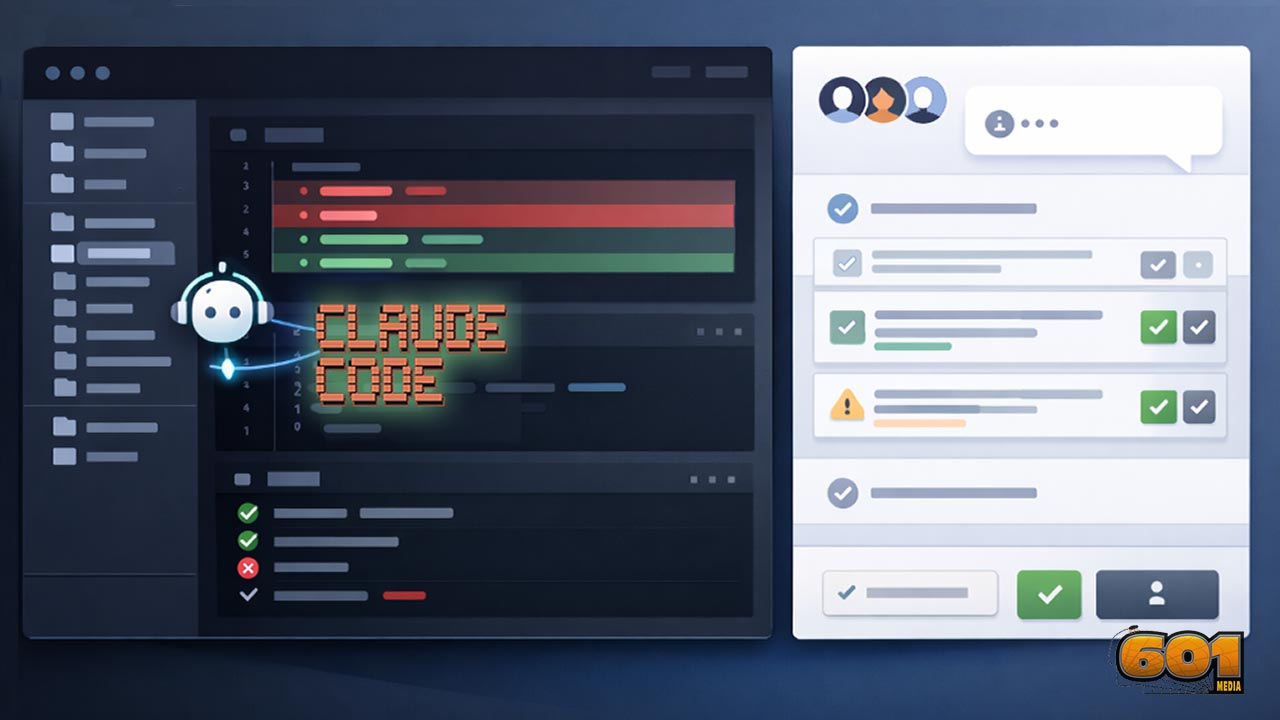
Claude Code: How Anthropic’s Agentic CLI Is Changing Software Delivery
Fast-moving engineering teams are shifting from “AI as autocomplete” to “AI as a capable teammate that can read the repo, propose multi-file edits, and run the same commands you would.” Claude Code is Anthropic’s agentic coding tool designed for exactly that: a terminal-first assistant that can understand your codebase, work across files, and integrate into real workflows like pull requests and external tool connectors. This article explains what Claude Code is, how it works in practice, where it fits in modern delivery pipelines, and how to adopt it safely at scale.
Table of Contents
- What Claude Code is (and what it is not)
- How Claude Code works under the hood
- Install and set up Claude Code
- Integrating Claude Code into your development workflow
- Governance and security for agentic coding
- Connecting Claude Code to your tools with MCP
- Innovation and Technology Management view
- Top 5 Frequently Asked Questions
- Final Thoughts
- Resources
What Claude Code is (and what it is not)
Claude Code is Anthropic’s agentic coding tool designed to operate inside real repositories and terminal workflows. The core idea is “agentic” execution: the assistant can read your codebase, propose multi-file changes, and (with permissions) run commands to validate its work.
What Claude Code is not:
- Not a replacement for engineering judgment.
- Not a “merge-without-review” bot.
- Not safe by default unless you configure permissions and review gates.
Agentic CLI vs. chat-based coding help
Chat-based coding help is great for isolated snippets and explanations. An agentic CLI becomes more valuable when the unit of work is a real repo change involving multiple files, conventions, tests, and validation steps.
Where it shines: tasks that benefit from “do, not just suggest”
High-leverage uses include:
- Fixing failing tests after dependency updates
- Repo-wide refactors to match established patterns
- Scaffolding endpoints + schema + tests using house conventions
- Debugging loops driven by logs and reproducible commands
- Drafting PR-ready summaries and structured commits
How Claude Code works under the hood
Claude Code follows a tool-based model: it can retrieve context (read/search files) and execute bounded actions (like running commands) within your defined permission boundaries.
The tool model: read, search, glob, run commands
Typical capability categories:
- Read files to understand local context
- Search across the repo for patterns and call sites
- Enumerate file sets (e.g., tests)
- Run commands to validate changes (lint, unit tests, integration tests)
Multi-file edits and repo-wide reasoning
The practical value comes from consistency across files: updating signatures, call sites, tests, configs, and documentation together, then validating with the same commands your team relies on.
Subagents and coordination patterns
Subagents can be used for role specialization (e.g., debugger, reviewer, refactorer). This mirrors real engineering division of labor while keeping policies enforceable per role.
Install and set up Claude Code
For team rollout, treat installation like any other developer tooling:
- Standardize versions
- Start with least-privilege defaults
- Validate enterprise constraints (proxy, certificates, locked-down shells)
Installer options and environment prerequisites
In managed dev environments (devcontainers, cloud dev boxes, hardened endpoints), governance tends to be simpler because execution environments and network boundaries are more controlled.
A practical “first session” workflow
A trust-calibrating first session:
- Pick a low-risk module
- Ask for a repo walkthrough and test commands
- Make a small change request
- Run tests and review the diff
- Commit and open a PR with a human review gate
Integrating Claude Code into your development workflow
Claude Code is most valuable when integrated into delivery—not used as a novelty. High-leverage patterns include debug acceleration, refactor-by-convention, test-first scaffolding, and documentation hygiene.
Terminal and IDE usage patterns
Effective patterns:
- Feed it real error output and logs
- Point it at “golden” reference implementations
- Require it to run validation commands
- Keep changes PR-shaped and reviewable
GitHub Actions and the @claude pull request loop
A PR workflow can let a mention trigger analysis and proposed changes. Start with conservative modes (comment-only), then progress to constrained PR creation with strict CI and review rules.
Prompting and collaboration best practices
Strong inputs:
- Acceptance criteria
- Constraints (performance, compatibility, style)
- Repo references to existing patterns
- Explicit validation steps
Governance and security for agentic coding
Agentic tools increase risk surface because they can execute actions. Keep execution gated, use least privilege, rely on CI as the truth source, and treat untrusted text as data.
Permissions and approval boundaries
Safe defaults:
- Allow read/search broadly
- Require approvals for command execution
- Restrict network and credential exposure
- Log tool calls for auditability
Prompt injection risks and mitigations
Mitigation playbook:
- Never auto-run commands from untrusted content
- Restate goals from trusted requirements
- Constrain tools and network reach
- Let CI gates decide what is acceptable
Hooks: policy-as-code for tool execution
Use policy checks to block risky commands, enforce preconditions (clean git state), and require validations post-edit.
Connecting Claude Code to your tools with MCP
Engineering work lives beyond code. Connectors help the agent fetch authoritative context from tickets, docs, and observability systems instead of guessing.
What MCP is and why it matters
MCP provides a standardized way to connect AI clients to external tools and data sources via servers with explicit access controls and auditing.
A pragmatic adoption path for MCP in engineering orgs
A sensible rollout:
- Local read-only connectors
- Team shared read-only connectors (scoped by role)
- Controlled write operations behind approvals and audit logs
Innovation and Technology Management view
Claude Code is an operating model shift: it compresses the loop between intent and verified change, but it only scales safely when validation is cheap and governance is strong.
Building the value case: speed, quality, and developer experience
Measure outcomes that matter:
- Lead time for changes
- Rework rates
- Change failure rate
- MTTR
- Reviewer load
Operating model: who owns the agent, policies, and outcomes
“Central guardrails, local autonomy” works well:
- DevEx owns enablement
- Security owns baseline policy
- Platform owns CI and integrations
- Teams own day-to-day usage and outcomes
Metrics that actually reflect impact
Avoid vanity metrics (lines generated). Track delivery health and policy friction (rejected commands, unsafe suggestions blocked).
Top 5 Frequently Asked Questions
Final Thoughts
The key takeaway: Claude Code is best adopted as a governed platform capability—an agent that accelerates repo work while your CI, tests, permissions, and review process remain the source of truth. Teams that pair agentic speed with strong validation and clear conventions get compounding returns: shorter loops, less busywork, and more time spent on architectural decisions and customer impact.
Resources
- Claude Code overview (official docs)
- Set up Claude Code (official install instructions)
- Claude Code security (official guidance)
- Permissions and hooks (official docs)
- Claude Code best practices (official docs)
- MCP connectors (official docs)
- Model Context Protocol announcement (Anthropic)
- Claude Code GitHub Actions (official docs)
- Claude pricing (official)


Leave A Comment