



WebM vs MP4 vs GIF: Best Format for Web Video & Animation in 2025
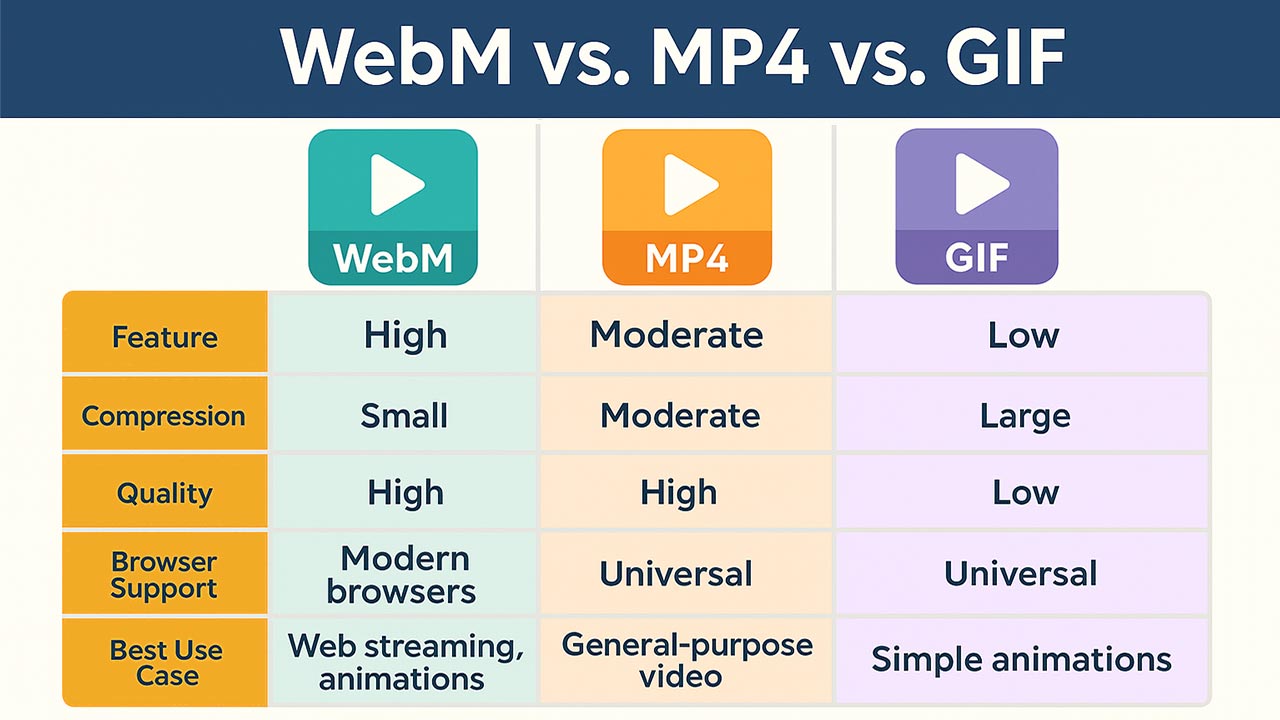
The .webm format offers significant advantages for web-based video and image content, especially when compared to .mp4 and .gif formats. Its open-source nature, efficient compression, and compatibility with modern web technologies make it a compelling choice for developers and content creators.
Table of Contents
- Introduction
- Advantages of WebM
- Comparison: WebM vs. MP4 vs. GIF
- Use Cases for WebM
- Top 5 Frequently Asked Questions
- Final Thoughts
- Resources
Introduction
WebM is an open, royalty-free media file format designed for the web. Developed by Google, it utilizes the VP8 and VP9 video codecs and the Vorbis and Opus audio codecs. WebM is optimized for web use, offering efficient compression and high-quality playback.
Advantages of WebM
1. Open and Royalty-Free
WebM is an open-source format, meaning it’s free to use without licensing fees. This contrasts with formats like MP4, which may require licensing for certain codecs.
2. Efficient Compression
WebM files are typically smaller than their MP4 counterparts without significant loss in quality. This efficiency leads to faster load times and reduced bandwidth usage.
3. Optimized for Web Use
Designed specifically for the web, WebM integrates seamlessly with HTML5, allowing for native playback in modern browsers without the need for additional plugins.
4. High-Quality Playback
Despite its smaller file size, WebM maintains high video and audio quality, making it suitable for streaming and online content delivery.
Comparison: WebM vs. MP4 vs. GIF
| Feature | WebM | MP4 | GIF |
|---|---|---|---|
| Compression | High | Moderate | Low |
| File Size | Small | Moderate | Large |
| Quality | High | High | Low |
| Browser Support | Modern browsers | Universal | Universal |
| Licensing | Open-source, royalty-free | May require licensing | Open-source |
| Best Use Case | Web streaming, animations | General-purpose video | Simple animations |
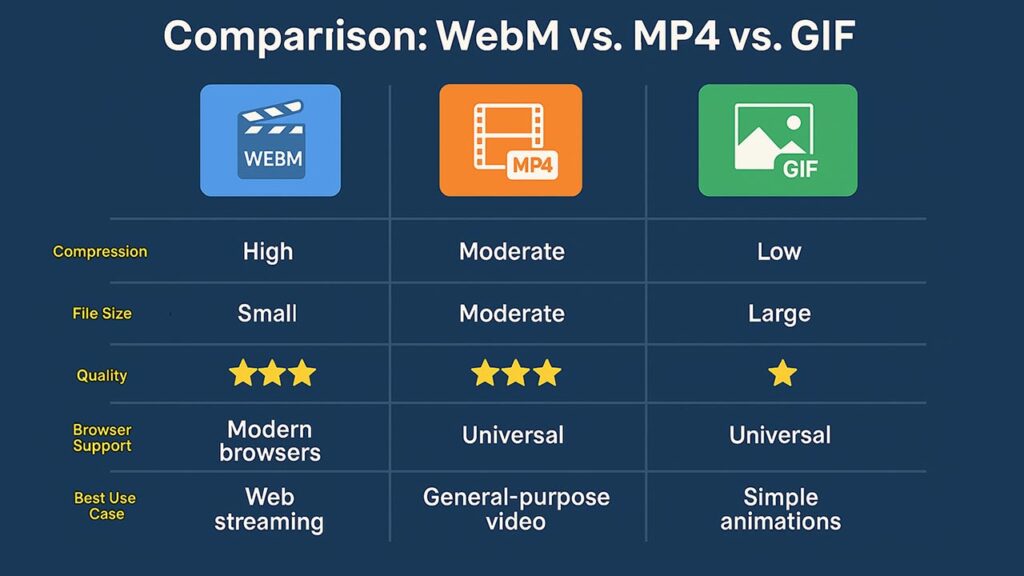
WebM offers a balance between quality and file size, making it ideal for web applications. MP4 is widely supported and versatile, while GIFs are suitable for simple animations but are inefficient for longer or more complex content.
Use Cases for WebM
- Web Streaming: Efficient compression and high quality make WebM suitable for streaming video content on websites.
- Animations: WebM can replace GIFs for animations, offering better quality and smaller file sizes.
- Interactive Content: Supports features like transparency and alpha channels, enabling more dynamic web content.
Top 5 Frequently Asked Questions
Final Thoughts
WebM stands out as an efficient, high-quality, and open-source format tailored for the web. Its advantages in compression and quality make it a strong alternative to traditional formats like MP4 and GIF, especially for web developers and content creators aiming for optimal performance and user experience.


Leave A Comment