



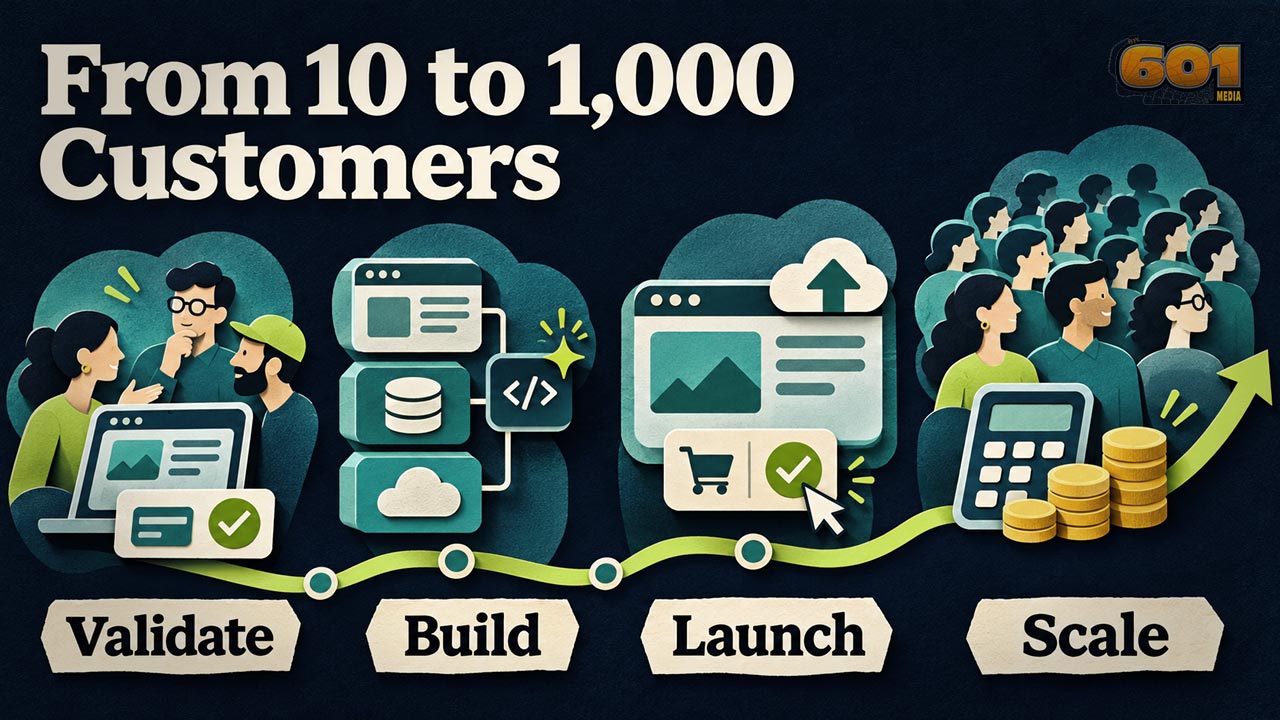
Build for Your First 10 Customers. Then Make the Math Work for 1,000.
Developing a new app means making decisions about frameworks, infrastructure, AI, deployment, and pricing before you know how people will use what you build. A small, paid pilot can turn those decisions into questions you can answer with evidence. Here’s how to choose a practical stack, ship safely, and find out whether each new customer makes your app a better business.
Table of Contents
- Start with a workflow people will pay to improve
- Choose a framework and infrastructure for the workload
- Use AI and development tools where they save time
- Make deployment easy to repeat and recover
- Choose a way to charge that matches how customers get value
- Model the cost to run and the cost to scale
- Manage the project from idea to paid pilot and beyond
- Top 5 Frequently Asked Questions
- Final Thoughts
- Resources
Start with a Workflow People Will Pay to Improve
Imagine you build an app that lets small video production teams share rough cuts with clients. A producer uploads a cut, sends a link, and gets time-coded feedback in one place. The producer currently spends Friday afternoon matching comments from email and text messages to a timeline. If your app gives that afternoon back, you have something concrete to demonstrate and a reason to ask for money.
Before writing code, watch a few people do the job as they do it today. Ask a producer to open a recent review thread and show you how they tracked revisions. Find out who sends the link, who can approve a cut, what happens after a deadline, and how long the team keeps original files. Then ask a potential buyer to try a real project at a stated price. A successful pilot tells you more about urgency and willingness to pay than a waitlist full of curious people.
Define the Smallest Useful Release
Write a one-page brief that says what goes in, what comes out, and where it can break. For the review app, the inputs are a video and a reviewer’s comments. The output is a usable record of feedback tied to the right version. Expect interrupted uploads, expired links, and comments submitted after a new version appears. Decide how each should behave, then turn those decisions into acceptance checks. A browser-based reviewer view could be enough for the pilot if your customers can already send links and review playback on their phones.
Build one end-to-end workflow first. A producer can upload one supported format, share it with a reviewer, see a time-coded comment, and close the review. Set an upload size and a retention period the pilot can afford. The first release has done its job when a team can complete a real review and tell you whether they would use the app for the next cut.
Choose a Framework and Infrastructure for the Workload
The framework shapes how you build and maintain the app. Your infrastructure supplies the database, compute, file storage, networking, jobs, and monitoring the app needs to run. Your editor and coding assistant are another choice. Treating those choices independently makes it easier to replace one part as the project grows. A team comfortable in Python can use Django on a managed host, keep code in GitHub, and call an external video-processing service from a worker. Each component solves a different problem. Django overview
Compare Three Realistic Starting Stacks
| Starting stack | Where it fits | What to verify early |
|---|---|---|
| Next.js with Firebase | A web app that benefits from managed sign-in and live document updates. | Model authorization, query and listener costs, and the hosting mode your app needs. |
| Django with managed PostgreSQL and object storage | A web app built around projects, team roles, reporting, and relational data. | Run migrations in staging, restore a backup, and confirm how long-running jobs will run. |
| Expo and React Native with a hosted API | A mobile-first experience where camera access, notifications, or device behavior drive the product. | Test the hardest device feature on real hardware and walk through the store build and submission process. |
Next.js supports several deployment approaches, including a Node.js server, a container, and a static export. A static export suits only the features it can support, so test the route that needs server behavior before committing to a static host. Expo’s build and submission tools cover parts of the mobile release process. Plan for device testing, signing, and store review as part of that workflow. Next.js deployment · Expo build and submission
Google’s scheduled shutdown of Firebase Studio on March 22, 2027 illustrates why these decisions deserve separate lines in a project plan. Google says deployed apps and core Firebase services such as Firestore, Authentication, and App Hosting will continue. Keep the repository, build instructions, and deployment configuration usable outside the editor that helped you write them. Firebase Studio migration guide
Make the Database Decision with Real Queries
Write the five queries you expect to run most often. In the review app, you may need to list every open project a user can access, pull a comment thread for one cut, or report approved projects and storage usage by account. PostgreSQL is a natural option when relationships among teams, projects, memberships, and invoices dominate the design. Supabase offers a managed PostgreSQL stack, and Firebase SQL Connect uses Cloud SQL for PostgreSQL. Firestore is a document database. In its Standard edition, query patterns, index reads where applicable, and live listener activity can influence charges. Test the busiest view with realistic fixtures and measure the work it generates. Supabase database documentation · Firebase database and billing documentation
A practical first version can run as one application with clear modules for accounts, projects, billing, and reviews. Keep large files in object storage and record file metadata and ownership in the database. Put slow tasks such as transcript generation or video processing behind a job queue when they need to continue after the browser closes. This keeps a short web request from carrying the entire workload and gives you somewhere to measure retries and failures. A separate service earns its place when you can point to work that needs its own lifecycle or scaling behavior.
Use AI and Development Tools Where They Save Time
In its 2025 report, DORA drew on survey responses from nearly 5,000 technology professionals and qualitative research. The authors describe AI as amplifying the engineering practices already in place. A different study from METR found that 16 experienced open-source developers took 19% longer with early-2025 AI tools across 246 tasks in familiar, mature repositories. METR’s February 2026 follow-up pointed to possible gains with newer tools and flagged selection effects that make the size of those gains difficult to estimate. For a new app, measure time through review and testing for the kinds of work you actually do. DORA research · METR studies
A workable setup is a local editor such as VS Code, an AI coding tool such as Codex or Cursor, a GitHub repository, a reproducible local environment, and continuous integration that runs tests on proposed changes. Give the assistant one task with an acceptance check. For example, ask it to add retry handling to an upload workflow, preserve the existing API contract, and test that a retry never creates a duplicate project record. Review the diff, verify dependencies, and keep customer data and production credentials out of the assistant’s inputs. Track how long a change takes to reach a working build and how much rework it generates after review.
Price and Test AI as a Product Feature
Using AI to build your app and offering AI to your customers create different ongoing costs. The review app might summarize 40 comments into a revision checklist. Save a small set of representative comment threads and check whether the generated list misses decisions, invents requests, or loses a time code. Start with AI output attached to the original comments so a producer can verify it. Set usage limits per account, record the cost of successful jobs and retries, and give the producer a way to keep reviewing when the summary service is unavailable. Keep the feature when it saves enough time to support its price.
Make Deployment Easy to Repeat and Recover
Deploy the first thin slice to a staging environment. Use separate credentials, a test database, and payment sandbox settings. Let a change pass through a repeatable sequence of build, tests, migration review, deployment, and a smoke test. A smoke test for the review app might confirm that a test producer can sign in, open a sample project, and submit a comment. GitHub Actions supports deployment environments for jobs and secrets, with protection rule availability depending on the plan and repository. A host such as Render offers deploy rollback capabilities. GitHub deployment environments · Render rollbacks
A code rollback can bring back yesterday’s application while the database still has today’s schema. When possible, add a field before requiring it, backfill data separately, and retire old fields after the previous version is out of use. Test a restore before the first paying customer relies on your backups. Write down where logs live, who can pause a release, and how you would respond if video processing stops. Set an alert on user-facing failures and job delays. A green build says the software compiled and passed its checks. Production monitoring tells you whether a client can review a cut.
Choose a Way to Charge That Matches How Customers Get Value
Charge for the unit buyers understand. A production studio might expect a monthly workspace subscription because it reviews work every week. A freelancer who sends two cuts a quarter might prefer a project pass. If large uploads or AI work vary greatly among accounts, a subscription can include a stated allowance with clear paid upgrades. Decide what happens when a team reaches its limit and make the meter visible in the app. An app that saves a buyer from one round of missed revisions may justify a price far above its storage cost. You still need to check whether that buyer uses it often enough to renew.
Ask a handful of pilot users to pay an actual invoice or complete a real checkout. Watch how many start a first project, complete a review, return with another cut, and renew. If they pay but never share a cut, investigate setup and file compatibility before assuming the price is wrong. For a web app, a hosted checkout can handle payment entry while your backend verifies payment events and updates access. For mobile digital products, check Apple and Google Play rules for the product and market before designing checkout. Storefront, program, and product type can change which billing paths apply. Stripe pricing · Apple and Google Play billing rules
Model the Cost to Run and the Cost to Scale
Separate expenses that continue in a quiet month from expenses that rise with usage. The baseline may include hosting, database capacity, backups, monitoring, development tools, and support time. Usage costs can include delivery bandwidth, file storage, processing minutes, AI calls, email, and payment fees. For video, new files arrive every month while older ones remain in storage. Estimate retained gigabyte-months as well as this month’s uploads. A higher upload limit may also increase playback traffic each time a client revisits a cut. The FinOps Foundation’s unit economics framework connects spending to useful measures such as cost per customer or workload. FinOps Foundation on unit economics
Calculate the Economics at 100 and 1,000 Paying Accounts
Use three inputs you can replace once the pilot yields real usage. In this illustration, a workspace pays $19 per month, platform overhead starts at $120 a month, and average direct service cost starts at $2.50 per account. Assume one successful $19 domestic card charge per account at Stripe’s listed standard U.S. card rate of 2.9% plus 30¢, or about $0.85. These scenarios exclude separate subscription billing fees, taxes, refunds, acquisition, and labor. The overhead and usage figures are assumptions. Stripe payments and billing pricing
| Monthly scenario | Revenue | Platform overhead | Direct service cost | Card processing | Amount left before excluded expenses |
|---|---|---|---|---|---|
| 100 accounts at $2.50 direct cost each | $1,900 | $120 | $250 | $85 | $1,445 |
| 1,000 accounts at $2.50 direct cost each | $19,000 | $450 | $2,500 | $850 | $15,200 |
| 1,000 accounts at $9 direct cost each | $19,000 | $450 | $9,000 | $850 | $8,700 |
The jump from $2.50 to $9 in usage costs takes $6,500 out of the same revenue month. That’s the scenario to investigate when customers start uploading longer files or replaying high-resolution cuts. Measure the busiest accounts alongside the average. Include what it costs to serve people on a free trial, even when they never convert. Set in-app constraints such as maximum upload size, storage allowances, AI quotas, and retry limits. Provider alerts can arrive after the spend occurs, and provider caps may cover only selected charges. Check the coverage of each control before relying on it. AWS Budgets and Supabase cost controls
Scale the workload people are actually stressing. If the queue backs up on Fridays, increase worker capacity or schedule batches around the deadline. If file delivery drives the overage, measure cache behavior and see whether lower-bitrate review copies solve the problem. If support grows faster than revenue, fix the failure users keep reporting. Every change should have a before-and-after measure such as processing time, completion rate, support requests per account, or average cost per completed review.
Manage the Project from Idea to Paid Pilot and Beyond
Manage the work in milestones with a deliverable, an owner, and a decision at the end. A solo developer can own every milestone and still benefit from writing down who will speak to pilot customers, who checks billing, and what has to happen before adding new accounts. Use issues for planned changes, pull requests for review, and short project notes for decisions with consequences. If you select a hosted database to save time, record how to export the data and what would trigger a redesign.
- Discovery. Observe target users at work, define the buyer and first workflow, and agree on what successful use looks like. For the review app, look for a team that finishes a real review and starts another.
- Technical proof. Test the riskiest part of the plan with representative data. For video that could mean uploading a large file on a weak connection and playing the resulting review copy on a phone.
- Paid pilot. Keep onboarding small enough to see individual failures, verify the payment flow, and collect expenses alongside usage. Know how to reach each pilot account if a release fails.
- Repeatable release. Document the build, deployment, recovery, and support routines. Test account access boundaries, cancellation, backup recovery, and the busiest workflow.
- Growth review. Decide what to improve using conversion, repeat use, payment retention, job failures, and direct cost per paying workspace. Record what evidence would justify a new hire, a plan change, or more infrastructure.
Set a short weekly review even if the team is one person. Ask which assumption changed, where time went, and what the next release will help you learn. A pilot in which people leave useful comments but never return may point to an occasional-use product with project-based pricing. A pilot that regularly hits the upload limit may point to a separate plan for larger teams. Both outcomes help you make the next investment with better information.
Top 5 Frequently Asked Questions
What framework should I use for a new app?
Choose a framework your team can maintain that supports the hardest requirement in the first release. Test that requirement with realistic data and a deployment before committing.
Should I use Firebase or a PostgreSQL-based backend?
Compare your most important queries and access rules. Firestore suits some document-oriented, live-update workflows. PostgreSQL is a good candidate when joins, constraints, and reporting are central. Firebase also offers PostgreSQL through SQL Connect.
How should I use AI to build an app?
Give the coding assistant a narrow task, specify an acceptance test, and review the change before merging. Measure the time through review and verification so you can see which tasks AI helps you complete faster.
How much will my app cost to run as it scales?
Estimate monthly baseline expenses and direct costs per active account, job, or stored gigabyte. Then model typical use, heavy use, and bursts. Replace assumptions with actual pilot usage and invoices.
When should I start charging for my app?
Ask for payment when a pilot customer can complete a real workflow and see its value. Use a clearly stated price and allowance, then track whether the customer uses the app again.
Final Thoughts
The exciting part of building an app today is how quickly a small team can put a complete workflow in front of a real customer. Frameworks, managed services, and AI-assisted development give you more ways to reach that moment. In the video review example, a team that pays, completes a cut, and comes back with the next one has given you a better reason to invest than any benchmark for your chosen stack. Now you can see how support, file delivery, and processing affect that relationship. Build to learn those numbers early enough to change the product, the price, or the infrastructure while each change is still manageable.
Resources
- Django overview
- Next.js deployment options
- Expo EAS Build and app store submission
- Firebase Studio sunset and project migration
- Supabase database documentation
- Cloud Firestore billing and Firebase SQL Connect
- DORA 2025 State of AI-assisted Software Development Report
- METR’s 2025 randomized study and February 2026 methodology update
- GitHub Actions deployment environments and deployment review availability
- Render deploy rollbacks
- Stripe payments pricing and Stripe Billing pricing
- Apple App Review Guidelines and Google Play payments policy
- FinOps Foundation unit economics
- AWS Budgets documentation and Supabase spend cap documentation


Leave A Comment