



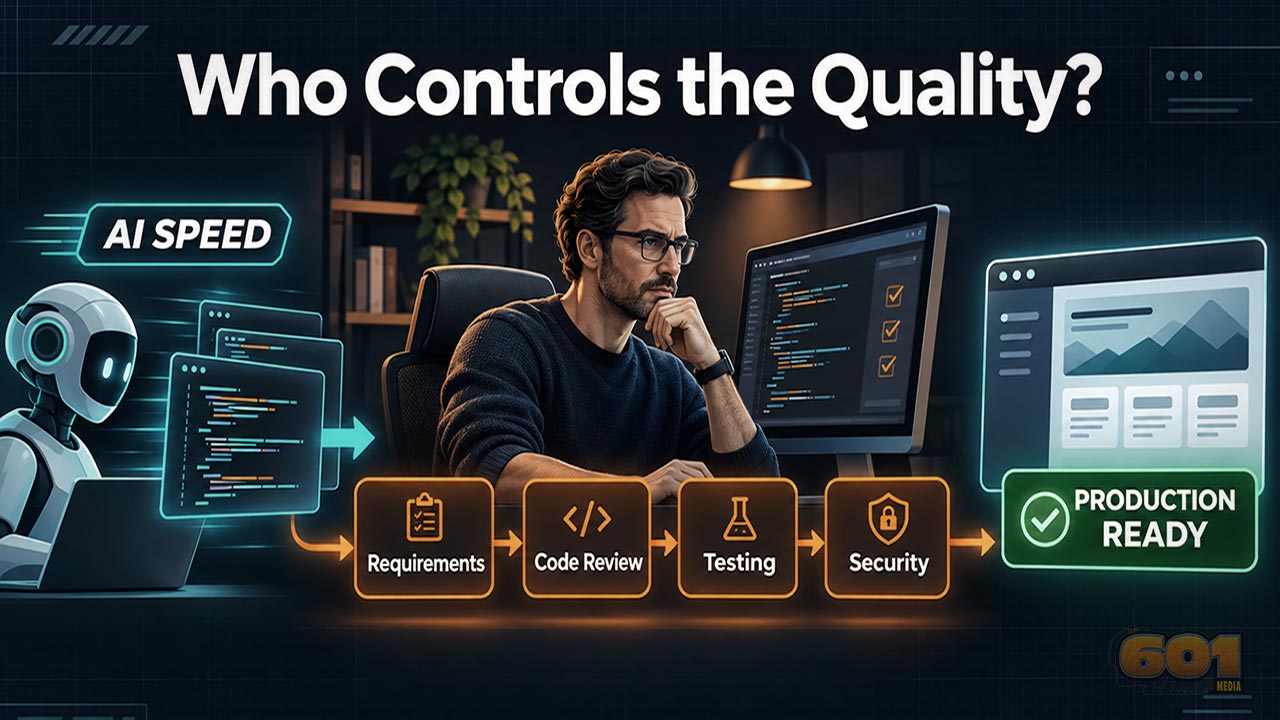
Why Developers Have a Quality Advantage When Coding With AI
AI coding tools can generate working software with remarkable speed, but speed is not the same as quality. Experienced developers have an important advantage because they understand how software should be designed, tested, secured, maintained, and integrated into a larger system. They can use AI as a capable assistant while continuing to make the decisions that determine whether the finished application is dependable. The strongest results do not come from handing an entire project to AI. They come from combining fast AI-generated output with informed human judgment.
Table of Contents
- The Real Quality Advantage
- Why Development Experience Matters
- AI Is an Amplifier, Not a Replacement for Judgment
- A Quality-Focused AI Coding Workflow
- The Quality Controls Developers Bring
- Can Non-Developers Produce Quality Software With AI?
- How Development Teams Should Use AI
- Final Thoughts
- Top 5 Frequently Asked Questions
- Resources
The Real Quality Advantage
The advantage professional developers have when coding with AI is not simply that they can write better prompts. Their advantage is that they understand what the generated code is supposed to accomplish, how it fits into the rest of the application, and what could go wrong after it is deployed.
An AI coding assistant can produce functions, database queries, application screens, tests, configuration files, and even complete project structures. However, it does not automatically know which tradeoffs are acceptable for a particular business or application.
A developer can examine the generated result and ask important questions:
- Does this code satisfy the actual requirement?
- Does it follow the architecture already used by the project?
- Could it expose private information?
- What happens if the database is unavailable?
- Will the feature continue to work with thousands of users?
- Can another developer understand and maintain it?
- Does it introduce a new dependency that the project does not need?
- Do the tests measure real behavior or merely confirm the current implementation?
These are quality questions rather than code-generation questions. AI can help investigate them, but someone still needs enough knowledge to ask them, evaluate the answers, and decide what should be accepted.
What Software Quality Actually Means
Software quality includes much more than whether an application runs once without displaying an error. High-quality software should be correct, understandable, secure, reliable, maintainable, testable, and appropriate for its intended environment.
A feature may appear to work while still containing serious weaknesses. It might fail when it receives unexpected input, allow one user to access another user’s information, create duplicate records, perform poorly under load, or depend on a library that is no longer maintained.
Quality also depends on the project’s purpose. A personal prototype has different requirements from a financial dashboard, healthcare system, online store, or public-facing business application. The developer must match the engineering effort to the consequences of failure.
AI does not independently establish that risk level. It responds to the task and context it receives. A developer is more likely to recognize when a quick solution is sufficient and when the application requires stronger validation, monitoring, security, documentation, and recovery procedures.
Working Code Is Not Necessarily Production-Ready Code
AI tools are very good at producing code that looks complete. That appearance can be misleading.
A generated login system may display the correct screens and accept a username and password. That does not prove it securely stores passwords, limits repeated login attempts, protects session cookies, prevents account enumeration, validates password-reset requests, or records suspicious activity.
A generated payment form may look professional without correctly handling failed transactions, duplicate submissions, refunds, webhooks, and interrupted network connections.
A developer understands that the visible interface is only one part of the system. Production-ready software also needs error handling, logging, access controls, backups, dependency management, deployment configuration, monitoring, and a recovery plan.
The difference between code that appears to work and software that can be trusted is where development experience becomes especially valuable.
Why Development Experience Matters
AI coding does not eliminate software engineering knowledge. In many situations, it makes that knowledge more valuable.
When AI can generate hundreds of lines of code in seconds, the limiting factor shifts from typing code to evaluating decisions. Developers must determine whether the output is correct, whether the solution is unnecessarily complicated, and whether it quietly conflicts with the rest of the application.
Experienced developers have encountered broken deployments, confusing codebases, unexpected user behavior, database problems, security mistakes, and requirements that changed halfway through a project. Those experiences help them recognize risk before it becomes an expensive failure.
They also know that software development involves making tradeoffs. The shortest code is not always the clearest. The newest framework is not always the safest choice. A more flexible architecture is not necessarily better if it makes a small application needlessly difficult to maintain.
AI can describe these tradeoffs, but the developer remains responsible for selecting the right one.
Turning Requirements Into Useful Context
The quality of AI-generated code depends heavily on the quality of the instructions and project context provided to the AI system.
A vague request such as “build an account system” leaves many unanswered questions. What information does an account contain? Who can create one? What permissions are available? How are passwords handled? Can users delete their accounts? Which regulations or privacy requirements apply?
A developer turns a broad idea into defined behavior. The developer can provide the AI with:
- The intended users and their roles
- Functional and nonfunctional requirements
- The existing technology stack
- Project structure and naming conventions
- Database rules and data relationships
- Security and privacy constraints
- Performance expectations
- Examples of acceptable input and output
- Testing and acceptance criteria
- Files that may or may not be modified
This context narrows the problem. It reduces the chance that the AI will invent missing requirements or select an approach that conflicts with the project.
Prompting is therefore only one part of the process. The more important skill is requirements analysis: deciding exactly what should be built before asking AI to build it.
Recognizing Problems That AI Cannot See
An AI assistant usually sees only the information made available during the session. It may not understand the complete history of the project, the reasons behind earlier design decisions, the production environment, or the behavior of external systems.
It can also produce a convincing explanation for an incorrect solution. The code may compile, and the explanation may sound technically reasonable, while an important edge case remains unresolved.
Developers bring situational awareness. They can recognize when a generated database change could destroy existing data, when an API response conflicts with a client application, or when a suggested library is unsuitable for the deployment environment.
They can also notice when AI changes too much. An assistant asked to fix a small problem may refactor unrelated files, introduce a new pattern, rename public interfaces, or replace a stable dependency. A developer can limit the scope, inspect the change, and reject unnecessary modifications.
This is one reason disciplined developers often ask AI to propose a plan before allowing it to edit code. Reviewing the intended change is easier and safer than untangling an oversized implementation afterward.
AI Is an Amplifier, Not a Replacement for Judgment
The 2025 DORA research described AI as an amplifier of an organization’s existing strengths and weaknesses. That is an especially useful way to understand AI-assisted development.
A team with clear requirements, reliable tests, healthy code-review practices, good documentation, and controlled deployments can use AI to move faster while preserving quality. A team with unclear ownership, weak testing, inconsistent architecture, and rushed releases may use AI to generate more code without improving the finished product.
In other words, AI increases production capacity. It does not automatically improve the system that evaluates and controls that production.
AI Accelerates Good and Bad Decisions
A skilled developer can use AI to explore alternatives, generate repetitive code, write test cases, explain unfamiliar modules, document an interface, or create an initial implementation. The developer then reviews and improves the result.
A less disciplined workflow may ask AI to generate an entire feature, accept the result after a quick visual check, and move immediately to the next feature. That approach creates the appearance of rapid progress, but it can also accumulate hidden problems.
Technical debt can now be generated faster than before. So can duplicated code, unnecessary abstractions, vulnerable dependencies, misleading tests, and inconsistent error handling.
The tool is not deciding whether the project values long-term maintainability or immediate output. The people directing the project make that decision through their workflow.
What Current Research Tells Us
Research into AI coding produces mixed results because different studies measure different tasks, developers, tools, and definitions of success.
A controlled GitHub study published in 2024 involved 202 developers with at least five years of experience. Participants completed a defined web-server programming exercise. Developers with access to GitHub Copilot had a 53.2% greater likelihood of passing all ten unit tests. Blind reviews also found modest improvements in readability, reliability, maintainability, and conciseness.
That study provides evidence that experienced developers can use an AI assistant to improve results on a contained and clearly evaluated task.
However, a 2025 randomized controlled trial from Model Evaluation and Threat Research, or METR, reached a different conclusion in a different environment. Sixteen experienced open-source developers completed 246 real tasks in mature repositories they already knew well. When permitted to use early-2025 AI tools, the developers took 19% longer on average.
The METR finding does not prove that AI coding always slows experienced developers. The study involved a relatively small group and measured a particular generation of tools in complex, established projects. It does demonstrate that benchmark performance and short coding exercises do not always predict real-world productivity.
The 2025 Stack Overflow Developer Survey provides another important warning. Although 84% of respondents reported using or planning to use AI tools in development, 46% distrusted the accuracy of AI output while only 33% trusted it. Sixty-six percent identified solutions that were “almost right, but not quite” as a major frustration.
Together, these findings support a balanced conclusion. AI can improve performance, but its value depends on the task, the project, the tool, and the human verification surrounding it. The technology is powerful enough to help and imperfect enough to require supervision.
A Quality-Focused AI Coding Workflow
Developers stand a better chance of producing quality software with AI because they can place the tool inside a controlled engineering process.
The objective should not be to generate the maximum amount of code. It should be to produce the smallest correct change that satisfies the requirement and can be verified.
The tools, permissions, project context, and testing systems surrounding an AI model form an AI harness. This supporting environment helps control what the AI can access, change, test, and submit for human approval.
Plan Before Generating Code
A strong workflow begins with a short written plan. The plan should describe what goes into the feature, what comes out, which components will change, where it could fail, and how success will be tested.
The developer should ask the AI to inspect the relevant project files and explain the existing design before proposing changes. This reduces the chance that the assistant will create a second solution for a problem the project already handles.
The implementation plan should identify:
- The exact requirement
- The files expected to change
- Interfaces and data structures involved
- Possible failure conditions
- Security considerations
- Tests required before completion
- Anything explicitly outside the task’s scope
Once the plan is approved, the AI has clearer boundaries. Those boundaries are an important form of quality control.
Work in Small, Testable Changes
Large AI-generated changes are difficult to review. Even if most of the code is correct, one incorrect assumption can be hidden among hundreds of changed lines.
Smaller changes make problems easier to isolate. A developer can ask the AI to modify one behavior, run the relevant tests, inspect the difference, and commit the result before continuing.
This approach creates checkpoints. If the next change fails, the team can identify what caused the failure without discarding the entire project.
Small changes also improve code review. Reviewers can understand the purpose of the change, compare it with the requirement, and identify unrelated modifications.
AI makes it tempting to build everything at once. Experienced developers understand that incremental progress is often faster overall because it reduces debugging and recovery work.
Verify the Result Independently
AI-generated code should not be considered correct merely because the same AI says it is correct.
Verification should come from independent evidence. That evidence may include:
- Automated unit, integration, and end-to-end tests
- Static code analysis
- Type checking and compiler warnings
- Dependency and vulnerability scanning
- Manual code review
- Performance testing
- Accessibility testing
- Testing with invalid and unexpected input
- Reviewing logs and error conditions
- Running the application in an environment similar to production
The developer should also examine the tests AI generates. A weak test can pass while proving very little. Tests should evaluate required behavior, boundary conditions, error handling, and important security rules.
A green test result is meaningful only when the tests themselves are meaningful.
The Quality Controls Developers Bring
Developers contribute several forms of judgment that are difficult to replace with code generation alone. These controls determine whether an AI-assisted project remains manageable after the first successful demonstration.
Architecture and Maintainability
Architecture defines how the parts of an application are organized and how they communicate. Good architecture helps developers change one part without unexpectedly breaking another.
AI may suggest a pattern that is technically valid but inconsistent with the existing project. It may introduce unnecessary layers, duplicate an established service, or place business rules inside an interface component.
A developer can decide whether the solution follows the project’s boundaries and conventions. The developer can also reject needless complexity. Maintainable software is not the software with the most advanced architecture. It is software whose structure matches its actual needs.
Developers also evaluate naming, documentation, dependencies, file organization, and duplicated logic. These details affect whether the application can be understood and modified months or years later.
Testing and Failure Analysis
AI is useful for suggesting tests, generating test data, and identifying possible edge cases. A developer still needs to decide what must be proven.
Quality testing includes expected behavior as well as failure behavior. What happens when a user enters nothing? What happens when two requests modify the same record? What happens when an external API returns incomplete data? What happens if the process stops halfway through an operation?
Developers think about the entire lifecycle of the request. They understand that a function can return the correct result in isolation while the complete transaction still fails.
They also know when to use unit tests, integration tests, interface tests, and manual verification. No single test type provides complete confidence.
Security and Data Protection
AI-generated code may repeat insecure examples found in public training material, use unsafe defaults, omit authorization checks, or reveal sensitive information through error messages and logs.
A developer can apply basic security principles:
- Validate input at trusted boundaries
- Use parameterized database queries
- Require authorization for protected actions
- Store secrets outside the source code
- Limit accounts and services to the permissions they need
- Protect passwords and session information
- Keep dependencies reviewed and updated
- Record security-relevant events without logging private data
- Provide safe error messages
- Plan for backups, restoration, and incident response
Security cannot be added through one final prompt. It must influence the requirements, architecture, implementation, testing, deployment, and maintenance of the application.
AI can assist with a security review, but the project still needs a responsible person who understands the risks and verifies the protections.
Performance and Reliability
Generated code may work with ten records and fail with a million. It may make unnecessary database requests, load an entire file into memory, repeatedly call an external service, or perform expensive work during every page request.
Developers can identify these patterns and measure their effect. They understand that optimization should be guided by evidence rather than guesswork, but they also recognize obviously inefficient designs.
Reliability includes more than raw speed. A production system needs timeouts, retry rules, transaction handling, resource limits, useful logs, monitoring, and predictable behavior when another service fails.
AI can generate these mechanisms when instructed, but developers decide where they are necessary and how they should behave.
Can Non-Developers Produce Quality Software With AI?
Non-developers can absolutely use AI to build prototypes, internal tools, simple websites, interactive demonstrations, and even useful commercial applications. AI has made software creation more accessible than it has ever been.
The risk appears when the creator cannot independently evaluate the output.
A non-developer may see a working interface without recognizing insecure data storage, missing authorization, fragile deployment settings, licensing restrictions, or a design that cannot scale. The application may function well enough for a demonstration while remaining unsuitable for sensitive information or paying customers.
This does not mean a non-developer should avoid AI coding. It means the project’s risk should determine the amount of professional review it receives.
A low-risk personal tool can tolerate experimentation. An application that handles payments, health information, customer records, private communications, or business-critical operations deserves qualified technical and security review.
AI allows more people to create software. It does not remove accountability for what that software does.
How Development Teams Should Use AI
These controls become especially important when developing a new app, because decisions about architecture, testing, deployment, security, and operating costs affect whether the project can move safely from prototype to production.
Teams should treat AI-generated code in much the same way they treat code written by a new contributor: useful, potentially valuable, and subject to the same engineering controls as every other change.
An effective policy should require human ownership. Every change should have a person who understands its purpose and is prepared to support it after deployment.
Teams should also define where AI may be used and what information may be shared with it. Source code, customer data, credentials, internal documentation, and regulated information may require specific privacy and contractual protections.
Useful team practices include:
- Define the requirement and acceptance criteria before implementation.
- Give AI only the context and access needed for the task.
- Require generated changes to follow the project’s existing standards.
- Keep changes small enough for meaningful human review.
- Run automated tests and security checks before merging.
- Do not allow the authoring AI to be the only reviewer.
- Record important architectural decisions.
- Monitor the application after deployment.
- Measure defects, rework, stability, and maintainability rather than lines of code produced.
The last point is particularly important. AI makes it easy to generate more code, but more code is not necessarily more value. The best result may be a smaller and simpler solution.
Final Thoughts
Developers stand a better chance of producing quality software with AI because they can recognize the difference between plausible code and dependable software.
Their advantage is not typing speed. AI has already reduced the importance of manually producing every line. Their advantage is judgment: understanding requirements, selecting an architecture, identifying risk, limiting unnecessary changes, designing meaningful tests, protecting data, and deciding when the evidence is strong enough to release the software.
AI can make an experienced developer faster in some situations. It can also create extra review and correction work in others. Current research supports both possibilities. The outcome depends on the complexity of the task, the quality of the project context, the capability of the AI tool, and the strength of the development process.
The most useful way to view AI coding is as a force multiplier. It can amplify careful planning, sound architecture, reliable testing, and skilled review. It can also amplify unclear requirements, weak controls, excessive complexity, and rushed decisions.
That is why developers remain central to quality. AI can produce the material of software at extraordinary speed, but a knowledgeable human still needs to determine what should be built, whether it works, whether it is safe, and whether it can be trusted after the demonstration is over.
The winning combination is not AI instead of developers. It is capable developers using AI inside a disciplined, testable, and accountable engineering workflow.
Top 5 Frequently Asked Questions
1. Does AI automatically improve code quality?
No. AI can generate useful code, tests, documentation, and possible solutions, but quality depends on the instructions, project context, review process, and verification applied to the result. AI can produce correct code and convincing but incorrect code. Human review and independent testing remain necessary.
2. Why do experienced developers get better results from AI coding tools?
Experienced developers can define requirements more precisely, provide relevant technical context, recognize incorrect assumptions, evaluate architectural decisions, and test the finished behavior. They are also more likely to notice security, reliability, performance, and maintenance problems that may not be visible in a quick demonstration.
3. Can someone without programming experience build an application with AI?
Yes. AI can help non-developers create prototypes and functional applications. However, the creator may not be able to identify hidden technical or security problems. Applications handling private data, payments, customer accounts, or essential business operations should receive professional review.
4. Should developers trust tests generated by AI?
AI-generated tests can be useful starting points, but they should be reviewed. A test may confirm the current implementation without proving the actual requirement. Developers should make sure tests cover expected behavior, invalid input, boundary conditions, error handling, authorization, and important interactions between components.
5. What is the safest way to use AI for software development?
Begin with clear requirements, give the AI limited and relevant context, request a plan before implementation, work in small changes, inspect every modification, and verify the result with independent tests and security checks. A human developer should remain responsible for every change that reaches production.
Resources
- DORA: State of AI-Assisted Software Development 2025
- Stack Overflow 2025 Developer Survey: Artificial Intelligence
- Stack Overflow 2025 Developer Survey Methodology
- GitHub Research: Does GitHub Copilot Improve Code Quality?
- METR: Measuring the Impact of Early-2025 AI on Experienced Open-Source Developer Productivity


Leave A Comment